Here’s what the shopping cart of IconDock looks like:
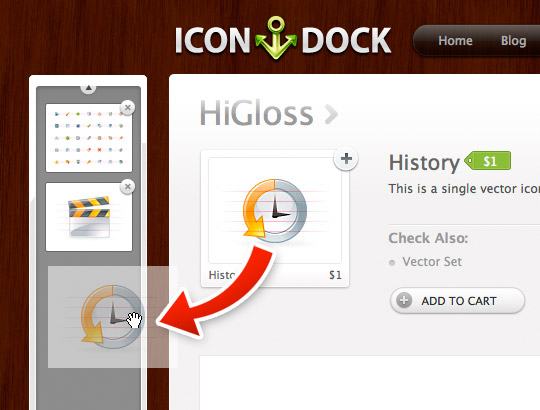
How does it work? Just pick up an item by clicking on it, drag it into the little shopping cart “dock” on the left, and release. That’s it – a drag and drop shopping cart. Of course you can still click the “Add to Cart” button if this doesn’t work for you, but I think this is a very clever way of re-implementing the the tired old shopping cart. Thanks to Dustin for sharing this.